
Install Guix
- 26 Posts
- 269 Comments
Joined 1 year ago
Cake day: January 21st, 2025
You are not logged in. If you use a Fediverse account that is able to follow users, you can follow this user.
 2·4 days ago
Does anyone have a good guide for installing Seafile? I tried installing it a few months ago, but it’s so damn complicated with load balancers behind load balancers and a bunch of services tied together.
I gotta try again.
 6·4 days ago
I tried to get this to work a few months ago and failed as well. Granted I had a 2-3cm hole in my tire. It kinda worked when I rotated the tire so that the hole was at the bottom… But the hole was just too big for the foam.
The tow truck guy told me those kits only work with tiny nicks.
 7·28 days ago
Leechblock and unhook are required browser extensions for me.
YouTuber is extra tricky because I can easily convince myself that I’m not wasting time, I’m “learning”. Even though I doubt I’ll ever need to know how to build a mud hut with a secret swimming pool underneath…
In general, I found if I remove the addictive elements from YouTube or whatever, as opposed to blocking the website entirely, I’m more likely to stick to being sober. I treat my phone the same way, I use YAM Launcher to help remove distractions.
 21·29 days ago
I don’t know anyone who works in tech (not IT) that is allowed to use Wangblows for development. If you’re a programmer/software developer, you’ll 1000% have to use Linux, either directly or indirectly. From small hardware devices, to automous cars, to simple web sites, all of that uses Linux. Lots of places give you a Linux laptop or at the very least give you Mac—because they consider Mac close enough to Linux. I’ve never needed to use Macroshit Office Suite for anything related to work. Zoom and Slack are the standard in Silicon Valley and both work fine on Linux.
Uff. That sounds like a nightmare. I’m glad my job doesn’t force us to us AI. It’s encouraged, but also my managers say “Use whatever makes you the most productive.” AI makes me slower because I’m experienced and already know what I want and how I want it. So instead of fighting with the AI or fact checking it, I can just do shit right the first time.
For tasks that I don’t have experience in, a web search is just as fast. Search, click first link. OR. Sure, I’ll click and read a few pages, but that’s not wasted time. That’s called learning.
I have a friend who works at a company where they have AI usage quotas that affect their performance review. I would fucking quit that job immediately. Not all jobs are this crazy.
AI tends to generate tech debt. I have some coworkers that generate nasty, tech debt, AI slop merge requests for review. My policy is: if you’re not gonna take the time to use your brain and write something, then I’m not gonna waste my time reviewing your slop. In those cases, I use AI to “review” the code and decide to approve or not. IDGAF.

Yeah, I’m sure. It’s not something I would do frequently. My work had us on beefy desktops. But, I was totally fine with letting find+parallel+grep run for 30 minutes in the background while I searched docs or messaged people on slack. Depending on your team, getting a response from slack could easily take 24 hours so. Eh.
The other thing I liked to do is directly edit the libraries in the monorepo! No need to figure out how hack some random decency manager. You have the code! Just edit and build!
On the other hand, using ordinary tools like find and grep are exactly what I like about monorepos! Yes, they may take a while, but at least I know I’ll find a file or code that I’m looking for!
With multi-repos I’m constantly searching, but not finding where a particular piece of code comes from. Yes, it’s from library X, but where there heck does that live? Now I really can’t use ordinary tools. I have to rely on coworkers, docs, or GitLab to search for where a piece of code is actually defined.
 12·1 month ago
AI coding tools definitely helpful with boilerplate code
They’re really not. Just because they generated a starter template for you doesn’t mean you actually needed all of that mountain of slop. My coworker recently did a presentation where he generated a starter project for a Go project and most of it was shit and just not necessary. People assume you need mountains of boilerplate, but you may not need that. (Worse, AI is cementing bad practices at work.)
But also, assuming your project does need to generate a ton of boilerplate, should you really be going to the casino and rolling for a fresh mountain of slop that is hopefully correct? We can already generate code: snippets (in your editor), templates (like cloning a template repo), and generators (like create-react-app) already exist. Aaand these are deterministic, debuggable, and fixable.
I started using Claude Code myself. I got kind of obsessed with it.
Over the last several months, the GitHub username with the most merged PRs in Bun’s repo is now a Claude Code bot. We have it set up in our internal Discord and we mostly use it to help fix bugs. It opens PRs with tests that fail in the earlier system-installed version of Bun before the fix and pass in the fixed debug build of Bun. It responds to review comments. It does the whole thing.
Seems like they’ve bought into the hype.
 2·2 months ago
What’s IPTV and is it related to this?
How the heck did you install Seafile!? I spent a whole day trying to get it to work, but there are so many moving parts and proxies behind proxies behind proxies. I managed to get the UI to load, but other parts of the app didn’t work. I want to like it, but it seems pretty complicated to install… 😢
Ufff. Yeah, I also hit a slop mountain of videos when searching for Seafile comparisons…
Frigate + Reolink (or actually Frigate-approved cams)
You know. mTLS might be an option. I have a tiny number of clients. Laptops and Android phones, seems easy to install a client cert. The part I’m not sure about is TVs… Does Nvidia Shield or Firestick allow installing client certs?..
Oh, wait and also: https://github.com/jellyfin/jellyfin-meta/discussions/96
You can’t always use the dev tools. Sometimes the sites have JavaScript that detects when you open the dev tools and then lock stuff up more.
Relevant thread: https://lemmy.today/post/32621021
tl;dr https://addons.mozilla.org/en-US/firefox/addon/hls-stream-detector/ +
yt-dlp
Link? I went to https://lemmy.today/post/18243468 , but didn’t see anything relevant. (I’m sure there probably is something relevant in there, but it’s a huge area to sift through.)
Harden your server first
Do you have any tutorials or guides on this handy?
Use your router/server to block some counties using geoip
Yeah, definitely all my users are in the same town/region/country as me. So this could be doable.
Configure rate limits in Nginx
Hm, currently using Caddy as my reverse proxy. I guess there’s some module for this.
only open ports in your firewall you really want to open
The only port I need open is 443 for accessing Jellyfin and Immich. I can definitely block 22 from the public internet. And fuck it no automatic redirects from 80 to 443. TLS or bust.

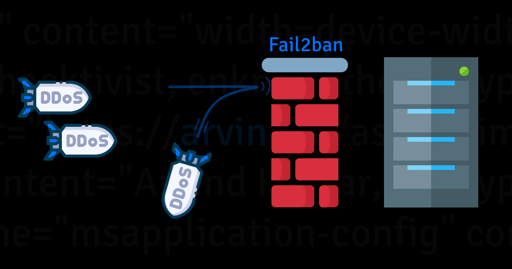


What about connectivity? I’m currently using Tailscale cuz it’s so easy. Maybe I should look into WireGuard? Also, how does Headscale fit into this?